
Parental Control: How to Protect Your Child and Maintain Trus
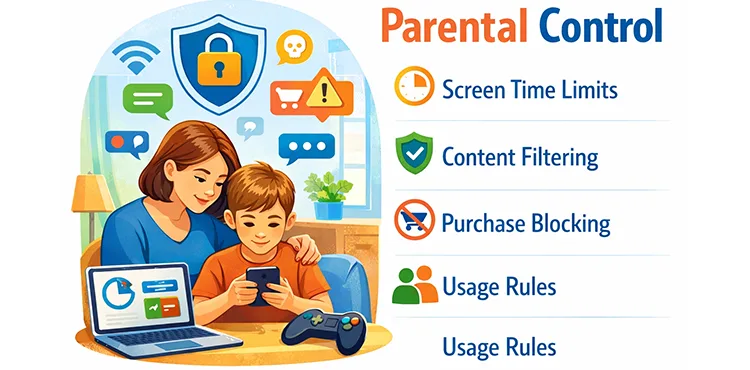
Parental control is not about spying or strict bans. It is about care, safety, and reasonable boundaries.
Today, even preschoolers have smartphones, and many parents wonder how to set up
parental control on a phone in a way that helps rather than damages the relationship with their child.
In this article, we explain why phone control for children is important, what risks it helps reduce,
and how to use it calmly, without constant conflicts.
Why Parental Control Has Become So Important
Ten or fifteen years ago, parents worried about how much time their children spent outside.
Today, the main “playground” is the smartphone screen. It contains educational videos,
useful apps, and communication with friends, but also age-inappropriate content,
aggressive advertising, chats with strangers, and endless scrolling.
Without parental control for children, a phone can easily become a space where a child
is left alone with adult topics they are not ready to process.
Main Risks When There Is No Control
1. Loss of balance and screen addiction
Without limits, a child can spend hours on a phone. At first it may seem harmless,
but over time irritability, fatigue, and sleep problems appear.
Screen time control helps restore balance between online and offline life.
2. Age-inappropriate content
Video platform algorithms do not always consider a child’s age properly.
One random video can quickly lead to recommendations with topics
a child’s mind is not yet ready for.
3. Communication with strangers
Online games and social media often include open chats.
A child may face rudeness, manipulation, or pressure from adults or older teenagers.
4. Financial risks
In-app purchases, subscriptions, and donations can result in unexpected charges
if phone control for a child is not set up properly.
What Parental Control Really Is
It is important to understand that parental control is not total surveillance.
It is a set of tools that helps parents:
- limit screen time;
- filter content by age;
- protect against unwanted purchases;
- explain and enforce clear phone usage rules.
The main goal is not to “catch” the child doing something wrong,
but to create a safe digital environment.
How to Talk to Your Child About Control Without Conflict
Explain instead of ordering
Phrases like “I can see everything” or “because I said so” usually cause resistance.
It is better to say honestly: “A phone is useful, but it also has risks,
and my job is to protect you.”
Agree on rules in advance
Discuss how much time can be spent on the phone, which apps are allowed,
and which are not. When rules are clear,
screen time control is perceived much more calmly.
Set a personal example
If adults are constantly on their phones, it is hard for a child to accept limits.
Simple family rules like “no phones during dinner” often work better than lectures.
Parental Control at Different Ages
Preschoolers (ages 3–6)
At this age, phone control should be strict.
The phone is a parent’s tool, not the child’s personal space.
Short screen time, only trusted apps, and adult supervision are essential.
Primary school children (ages 7–10)
Children gain more independence, but rules are still important.
Parental control for children helps limit games, videos, and purchases
without interfering in every small detail.
Teenagers
Respect is especially important here. Control should be transparent and gentle:
clear limits, protection from harmful content, and minimal hidden monitoring.
Common Parenting Mistakes
- Taking the phone away suddenly without explanation.
- Using control as a punishment.
- Monitoring secretly without discussing it.
- Relying only on bans instead of dialogue.
These approaches often lead to secrecy and loss of trust rather than safety.
What to Do If a Child Is Already Overusing the Phone
First of all, do not panic. Almost every family goes through this.
Start small: review the daily routine, add shared activities,
walks, and offline games. At the same time, gently introduce
parental control on the phone, explaining each step.
Parental Control Apps as Support, Not a Replacement for Parenting
Today, there are special parental control apps that help parents set reasonable limits
without constant conflicts. For example, solutions like CyberNanny
can serve as an additional tool: they help manage screen time,
restrict access to unwanted features, and support a safer digital environment.
It is important to remember that no app can replace communication,
trust, and parental involvement. Parental control works best
when it supports real-life interaction rather than replacing it.
🌐 Official website
📡 Official Telegram channel
Conclusion
Parental control is not about fear or bans — it is about care and responsibility.
Proper phone control for a child helps protect them from real risks
while maintaining warm and trusting family relationships.
The goal is not control for the sake of control,
but safety and peace of mind for both children and parents.