
Social Networks Monitoring — Child’s Correspondence | CyberNanny
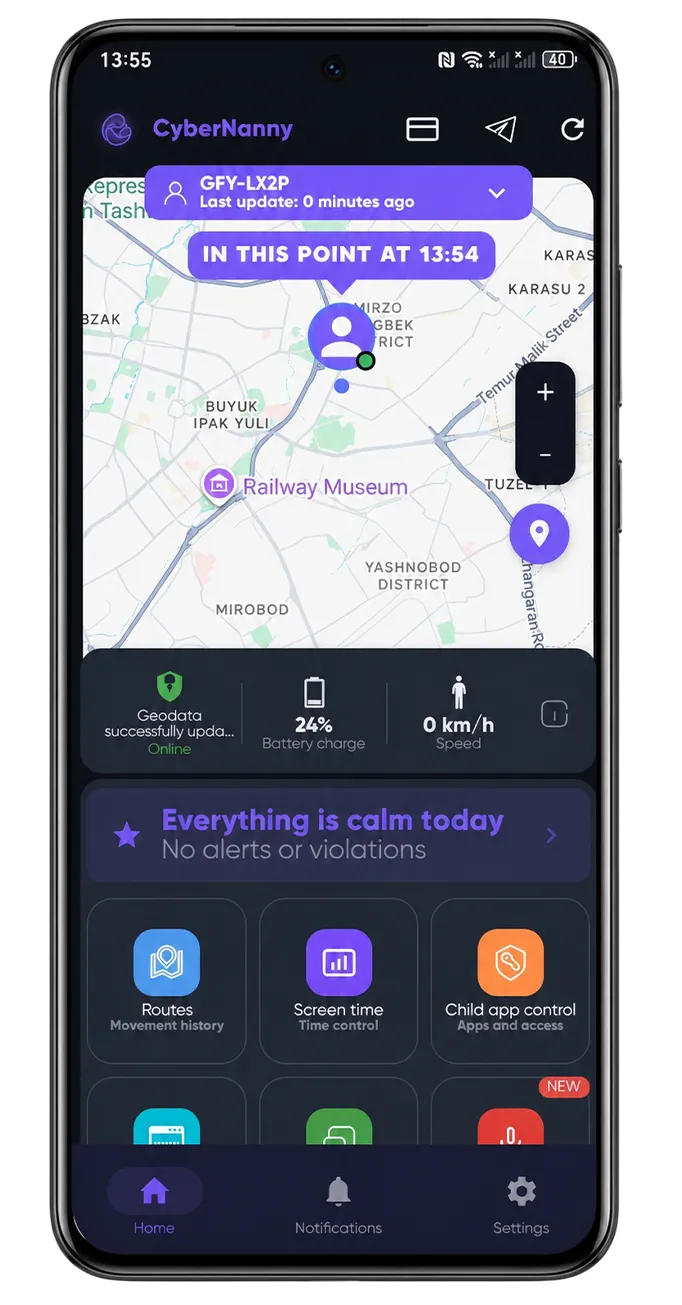
Social networks monitoring — the correspondence of the child. Today’s children spend 4-6 hours daily in social networks: Instagram, TikTok, VKontakte, Facebook, Snapchat. Most of their communication, friendships, conflicts, and risk situations happen in chats and messages on these platforms. Without parental visibility into this layer, the child’s online life remains essentially invisible to the family.
The CyberNanny app, installed on a child’s Android phone, captures messages from major social networks and presents them in a parent dashboard. This article covers what’s possible to see, why it matters, and how to use this information ethically.
Which social networks CyberNanny covers
- WhatsApp — text, photos, voice messages, group chats.
- Telegram — channels, group chats, private conversations.
- Viber — messages, voice notes, calls.
- VKontakte (VK) — direct messages, group chats, comments.
- Instagram Direct — DMs and group conversations.
- Facebook Messenger — text, voice, video calls.
- Snapchat — partial coverage (texts, but not all media due to platform restrictions).
- Discord — channels, DMs (popular among gamer kids).
- Skype — text and call history.
What’s monitored vs what isn’t
Captured
- Full text of incoming and outgoing messages.
- Photos and videos shared in chats.
- Voice messages (audio files).
- Sticker, GIF, emoji exchanges.
- Voice and video call duration.
- Contact list — who the child communicates with.
- New contacts as they’re added.
Not captured (privacy boundaries)
- End-to-end encrypted features that bypass app’s text display (e.g., Signal’s Disappearing Messages).
- Voice/video call audio content (only metadata: who, when, how long).
- Browsing within social networks (e.g., what posts the child views in the feed).
Why social network monitoring matters
Cyberbullying detection
The vast majority of cyberbullying happens in school chats and group conversations. Without monitoring, parents only learn about it when the child breaks down — by which time damage is significant.
Predator detection
Adult predators usually approach children through games or social networks, then move conversations to private DMs. Monitoring helps catch these approaches early — before photos are shared or meetings arranged.
Manipulation detection
Friend pressure, fake friend impersonation, fake giveaway scams targeting children — all happen in messages. Parents can spot patterns the child can’t.
Mental health insight
If your child is going through depression, anxiety, or self-harm thoughts, they likely talk about it with a friend in a chat — and not with you. Monitoring helps you notice and intervene.
Healthy relationship feedback
You can tell if your teen’s romantic partner is healthy or controlling, friends are supportive or toxic. Patterns over time tell more than any single conversation.
Ethical monitoring approach
Reading every message of your child is intrusive and counter-productive. Use this approach:
1. Open mode for teens 12+
The teen knows the program is installed. Discuss what’s monitored and what isn’t. Agree on rules together.
2. Use AI Advisor as the main filter
CyberNanny’s AI surfaces concerning patterns — bullying, manipulation, mental health. Parent doesn’t read everyday chats — only items the AI flagged.
3. Look at general trends
Periodically review who the child communicates with the most, how communication patterns are evolving — without diving into specific message content.
4. Don’t punish based on monitoring
If you see your child discussing something controversial — discuss it openly, don’t ambush. «I’ve been thinking about X — what’s your view?» rather than «I saw you wrote X yesterday».
5. Reduce as the child grows
Heavy monitoring at age 11; light monitoring at 16-17; almost none at 18.
Privacy boundaries to respect
- Romantic conversations — generally don’t read in detail unless there’s an alarm.
- Conversations with best friends — peer support is healthy, leave it alone.
- Personal exploration (sexuality, identity, religion) — these are personal journeys.
- Mistakes — kids make them. Don’t pile on punishments based on monitoring.
How to install
- Sign up at thecybernanny.com.
- Get the child’s Android device for 5-10 minutes.
- Download the install file from the dashboard.
- Install the app, granting «Accessibility Service» permission (this is what allows messenger reading).
- Choose mode: open (recommended for teens 12+) or hidden (younger children).
- Open the dashboard — messages will start appearing within an hour.
Frequently asked questions
Is reading my child’s messages legal? Yes, for minors and on a device owned by the parent.
What about end-to-end encryption? CyberNanny reads messages on the device after decryption (same way the user reads them). E2E doesn’t prevent on-device monitoring.
Will my child notice the program? In hidden mode — no. In open mode — yes (but they should know about it).
How does AI Advisor work? Analyzes communication patterns and content. Flags potentially concerning situations — bullying language, predator behavior, signs of distress.
Can other family members access the dashboard? Yes, you can grant access to multiple family members (parents/guardians).
Start social network monitoring with CyberNanny
Sign up at thecybernanny.com and install the app on your child’s Android phone. Free trial period — see how the AI Advisor works in practice. This is the path to staying connected with your child’s digital world without invading their privacy.