
Recording the Sound Around Your Child: Why It Helps and How to Use It Responsibly
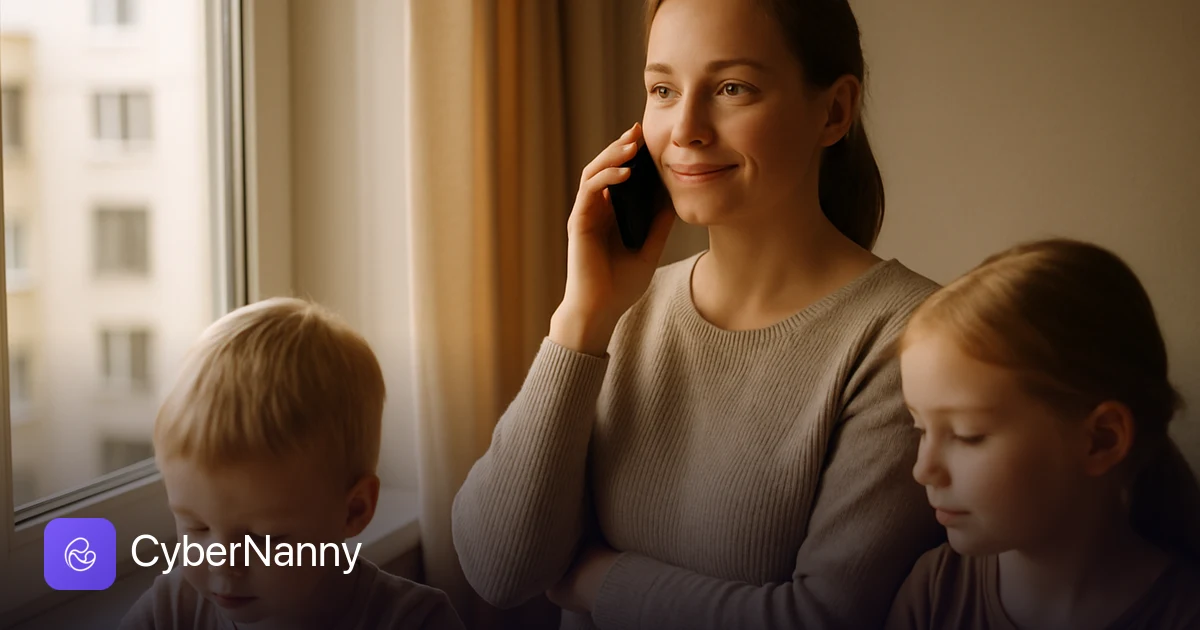
Every parent knows the feeling. You call, it rings out. You text, the message sits there unread. Your child is supposed to be at football practice, or walking home, or at a friend's house, and the silence stretches just long enough for your imagination to fill in the blanks. Ambient sound recording is a feature built for exactly those moments: it lets you hear the environment around your child's phone so you can answer one simple question fast: is everything okay? Used the right way, it isn't surveillance. It's a safety net you reach for when worry spikes, and most of the time it does nothing more reassuring than confirm your kid is fine and just didn't hear the phone buzz.
- Ambient sound recording helps you understand whether everything is alright with your child when they aren't answering calls or messages.
- Use it openly and by agreement: talk to your child first, and for teenagers especially, get their genuine consent.
- Treat it as an emergency reassurance tool, not a way to monitor everything your child says or does all day.
- It works as insurance against a real scare, not as a substitute for trust and conversation.
- When you can, a phone call is still the better, more respectful first move.
Why a parent might want to hear what's around their child
The honest reason most parents look at this feature is fear, the specific, stomach-dropping kind that arrives when a child is unreachable and the clock keeps ticking. Hearing the environment around the phone answers a question that a missed call never can: not "where is the phone," but "is my child okay right now?" Location tells you a dot on a map. Sound tells you whether that dot is a normal afternoon or a problem.
There are a handful of situations where this genuinely matters:
- Your child simply isn't answering. Phones get left in bags, ringers get switched to silent, kids get absorbed in a game or a conversation. Before you assume the worst and start calling other parents, ambient sound can confirm in seconds that your child is in the middle of a noisy, normal, completely safe situation, classroom chatter, a busy playground, the hum of a bus.
- Something feels wrong. Maybe your teenager said they were studying at a friend's and the story didn't quite add up. Maybe a younger child went quiet on a route home that usually takes ten minutes and it's been thirty. The feature lets you check rather than spiral, and checking is almost always more reassuring than imagining.
- Your child is too young to explain. A six- or seven-year-old may not pick up, may not know how to describe where they are, or may panic and say nothing useful. For little ones who can't yet advocate for themselves over the phone, hearing the room, calm voices, a familiar adult, the ordinary background of after-school care, can be the difference between a frantic hour and a settled mind.
Notice the thread running through all of these: the goal is never to catch your child out. It's to close the gap between "I don't know" and "okay, they're fine," as quickly and calmly as possible.
How it works
The mechanics are straightforward. The CyberNanny app runs on your child's phone, and from your own parent dashboard you can request a short ambient recording. The child's device captures the sound around it for a brief window, then uploads that clip to your account, where you can listen. There's no live "always-on microphone" sitting open in the background day and night; you trigger a recording when you actually need one, and you get a short snippet back.
A few practical points worth understanding before you rely on it:
- It depends on connectivity. The phone needs power and a data or Wi-Fi connection to upload the clip. A dead battery or a basement with no signal means no recording, which is one reason it can't be your only safeguard.
- Recordings are short by design. You're sampling the environment for a moment, not running a continuous feed. That's both a technical reality and an ethical one, you want enough to judge the situation, not a running transcript of your child's life.
- Permissions and battery matter. On modern Android phones, microphone access and background activity are tightly controlled. The app needs the right permissions granted during setup, and aggressive battery-saving settings can delay or block an upload. It's worth checking these together with your child when you first install it.
- Audio quality varies. A phone in a thick coat pocket sounds very different from one sitting on a desk. You're listening for context, voices, traffic, music, the general texture of a place, not crystal-clear conversation.
In practice, you'll mostly use it like this: a call goes unanswered, you feel that flicker of worry, you request a clip, and thirty seconds later you hear the unmistakable noise of a school corridor and you put the phone down, relieved.
Responsible and ethical use
This is the part that matters most, and it's the part that separates a caring parent from a hovering one. A tool like this earns its place in your family only if you use it with openness and restraint.
Be open about it. The single most important rule is that your child should know the feature exists. Secret monitoring corrodes the very trust you're trying to protect. Tell them plainly: "There's a feature on your phone that lets me check the sound around you if I can't reach you and I'm worried. I'll only use it when I genuinely can't get hold of you." Said out loud, it stops being spying and becomes a shared safety arrangement.
Have the conversation first. Sit down before you ever use it. Explain why it's there, what it does, and just as importantly what you won't do with it. Invite their questions. A child who understands the "why" is far more likely to keep the app installed and the permissions on, and far less likely to feel ambushed.
Don't overuse it. If you're checking the ambient sound several times a day out of habit rather than concern, you've crossed the line from safety net into surveillance, and your child will feel it. Reserve the feature for the moments that actually warrant it: unanswered calls during a real worry, a situation that feels off, a genuine gap in contact. Used twice a month in earnest, it's reassuring. Used twice an hour, it's controlling.
Respect a teenager's growing boundaries. The approach that suits a seven-year-old does not suit a fifteen-year-old. Older children are forming their own private lives, and that's healthy and normal. With teens, the right model is closer to a mutual agreement than a parental override: explain that this is for emergencies, ask for their buy-in, and honour it. Many families find a simple deal works, "If you answer my calls and let me know you're safe, I'll never need to use this." That gives the teenager a clear, dignified way to keep their privacy: stay reachable. The feature becomes the fallback for the day they genuinely can't, not a leash.
Tell them when you've used it. If you do listen in during a worried moment, mention it afterward. "I couldn't reach you earlier and got nervous, so I checked, sounded like you were on the bus, glad you're okay." That keeps everything above board and reinforces that the tool does what you said it would, nothing more.
Legal and ethical boundaries
As a parent or legal guardian, you carry genuine responsibility for the safety of your minor child, and that responsibility is what makes protective tools like this legitimate. Looking after the welfare of your own underage child is on entirely different footing from monitoring another adult, and it's important to keep that distinction crystal clear in your own mind and in how you use the app.
A few boundaries to hold firmly:
- Use it only for your own minor child. The feature is for safeguarding the child in your care, full stop. It is not a tool for listening in on other people.
- Don't record bystanders. Ambient sound will inevitably catch other voices, classmates, a teacher, strangers on a bus. Treat anything you hear about other people as incidental and private. Don't save it, share it, or act on it. Your interest is your child's wellbeing, not a recording of whoever happens to be nearby.
- Be mindful of where and when. Avoid using the feature in contexts where it would capture sensitive conversations that have nothing to do with your child's safety. The narrower and more purposeful your use, the more defensible and ethical it is.
- Local laws vary. Rules on recording differ by country and region, and laws change. As a parent the safe principle is simple: act in your child's clear interest, with their knowledge, and don't direct the feature at anyone else. When in doubt, check the regulations where you live.
The ethical centre of gravity here is straightforward. You are protecting a person who depends on you, with their awareness, and you are not intruding on anyone else. Stay on that ground and you stay on the right side of both the law and your conscience.
When a phone call is the better choice
For all its usefulness, ambient sound should rarely be your first move. In most situations, the simplest, most respectful tool is still the one in your hand: just call.
Reach for a phone call first when:
- You can plausibly get through. If your child usually answers, try them, twice if you have to. A two-minute conversation gives you tone of voice, actual words, and the chance to ask "are you okay?" directly, which is worth more than any recording.
- The worry is mild. Running a few minutes late, not replying to a text within the hour, these are everyday things. A quick "checking in, all good?" message respects your child's space and usually gets an answer.
- You want to preserve trust with a teenager. With an older child especially, calling first signals respect. Going straight to ambient sound when a phone call would have done sends the opposite message, and teenagers notice.
Save ambient sound for the narrower band of moments where a call genuinely can't answer your question, when there's no response at all and the silence has gone on too long, when your child is too young to use the phone effectively, or when something feels seriously wrong. Think of it as the tool you escalate to, not the one you start with. The order matters: text, then call, then, only if you're still in the dark and still worried, listen in. That sequence keeps the feature in its proper place, a reassurance for the hard moments, not a reflex for the ordinary ones.
Try CyberNanny for free
Peace of mind when a call goes unanswered, plus location, screen time and more, all in one parental care app you and your child can set up together.
Install the appFrequently asked questions
Is ambient sound recording the same as spying on my child?
It doesn't have to be, and it shouldn't be. The difference lies entirely in how you use it. Spying means secret, constant monitoring without your child's knowledge. Responsible use means your child knows the feature exists, understands when you'd use it, and trusts that you'll only reach for it when you're genuinely worried and can't reach them another way. Keep it open and occasional, and it's a safety net, not surveillance.
Should I tell my child I have this feature?
Yes, without exception. Telling your child is what makes the feature ethical and what keeps your relationship honest. Explain why it's there and what limits you'll set on using it. Far from undermining its usefulness, openness actually makes it work better, a child who understands the arrangement is more likely to keep the app installed and to stay reachable in the first place.
At what age does this stop being appropriate?
There's no hard cut-off, but the way you use it should shift as your child grows. For young children who can't explain where they are, it's a practical safeguard. For teenagers, lean heavily on agreement and use it only for genuine emergencies, ideally framed as "I'll never need this as long as you stay reachable." Respecting an older child's growing need for privacy is part of using the tool well.
What if I hear other people in the recording?
Treat anything you hear about other people as incidental and private. Your purpose is your child's safety, not a record of whoever happens to be nearby. Don't save, share, or act on conversations involving bystanders. The feature is for your own minor child, and keeping it narrowly focused on their wellbeing is both the ethical and the legal way to use it.
Will my child know when I'm listening?
Rather than rely on the app to announce it, the better practice is to tell them yourself. If you check the ambient sound during a worried moment, let your child know afterward, briefly and plainly. That keeps everything transparent and reinforces that the tool does exactly what you promised, no more. Over time, that honesty is what turns a monitoring feature into a genuine shared safeguard.