
Download the Parental Control App: Android, iPhone and Huawei
Parental control needs the app on two phones: yours in parent mode and your child's in child mode. It is the same app — the mode is chosen at first launch.
- Android: Google Play or a direct APK from our site — works even without Google services.
- iPhone: App Store. Some features are limited by iOS itself.
- Huawei and Honor without Google: AppGallery or direct APK.
- Pairing uses a QR code — nothing to type on your child's device.
- Free plan with no time limit; PRO is optional.
Android
Install from Google Play if Google services work on the device, or use a direct APK from our website if they do not. Download the APK only from us: cracked builds of parental control apps from third-party sites almost always contain malware, and "free premium versions" do not exist.
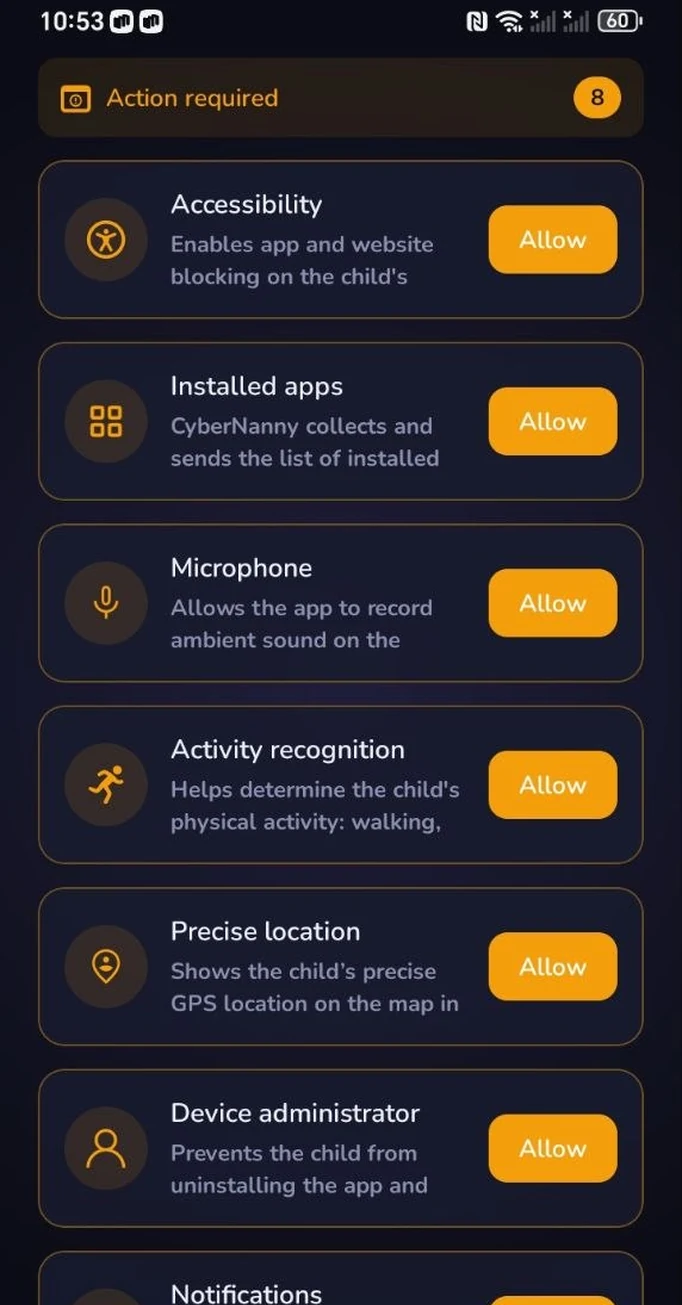
After installing, grant the permissions the app asks for: location set to Allow all the time, notification access, accessibility service (for app blocking), microphone if you plan to use ambient sound, and — critically — no battery restrictions. That last one matters most on Xiaomi, Honor, Huawei, Samsung and realme, where the system will otherwise put the app to sleep.
iPhone
Available in the App Store, installed on both devices the same way. An honest warning: iOS limits what third-party apps can do, so on iPhone you get location, geofences, screen time, schedules and web filtering — but not message monitoring or ambient sound. That is a platform restriction which applies to every parental control app, whatever their marketing says.
If your child's phone is Android while yours is an iPhone, everything works fully — the limits only apply to the child's device.
Huawei and Honor without Google services
On devices without GMS, install from AppGallery or use the direct APK. Functionality is complete — we support these devices deliberately.
Pairing the two phones
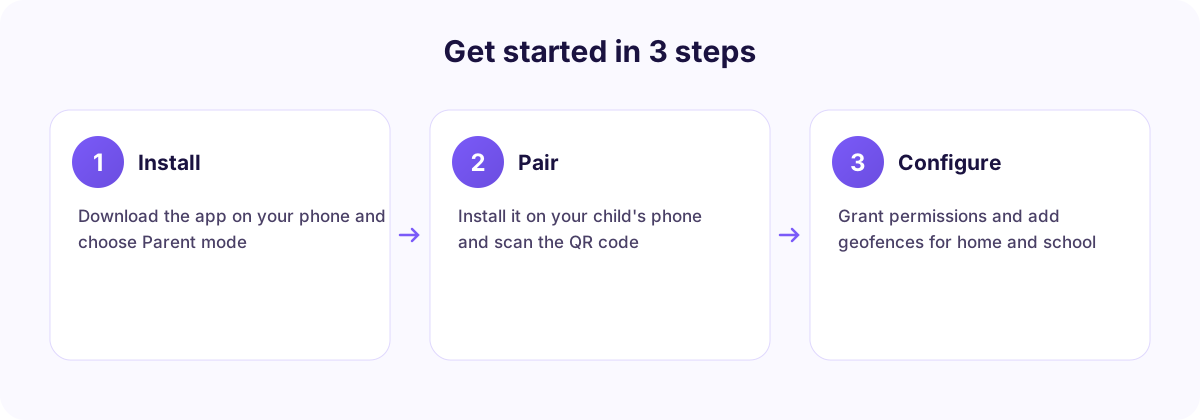
- Install the app on your phone, register and choose Parent mode.
- Create a child profile — name and age. Age affects AI Advisor recommendations and web filter presets.
- Install the app on your child's phone and choose Child mode.
- Scan the QR code from your dashboard — no logins or passwords are typed on the child's device.
- Grant the permissions the on-screen prompts request and remove battery restrictions.
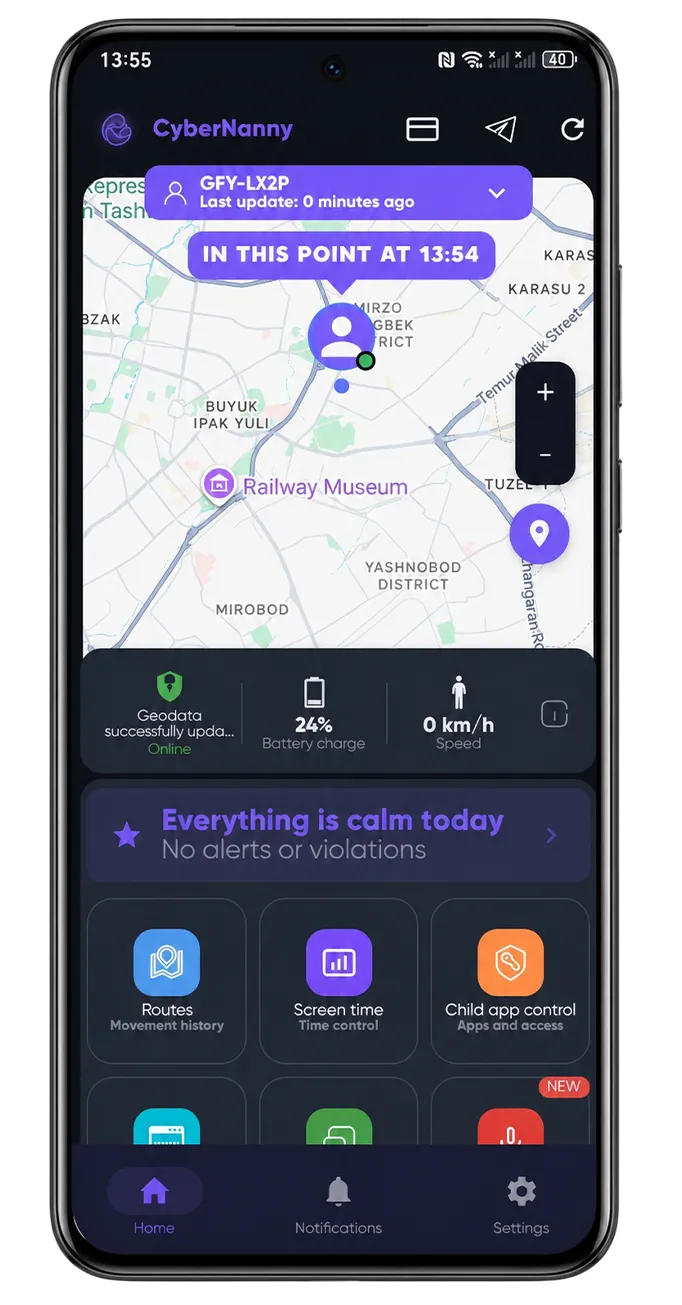
- Open the map in your dashboard: if the dot appears, you are done.
The whole process takes about two minutes. If something does not line up, it is almost always permissions — the dashboard highlights any that are missing.
Get CyberNanny
Free plan with no time limit: live map, geofences, messengers, screen time and removal protection. Store links are on the home page.
Go to downloadWhat to set up first
Do not configure everything at once. Three settings cover most of the value on day one: geofences for home and school (GPS tracker), a night schedule (screen time) and app limits for games (app blocker). Add the rest as situations arise.
FAQ
Is the parental control app really free?
Yes. When you connect a device you get 7 days of full PRO access, then the account moves to the free plan automatically — no charges, no expiry. The free plan includes the map, geofences, messengers, screen time and removal protection.
Do I need the app on both phones?
Yes. On your child's phone to collect data, on yours to see it. It is one app with two modes.
Can I install parental control remotely, without the child's phone?
No. The app must be installed physically on the device — there is no other way to access the data. Services promising remote installation "by phone number" are scams.
How many devices can I connect?
One child device on the free plan. PRO removes the limit if you have several children.
Is the APK different from the store version?
Only in how it updates: the APK is updated manually, store versions automatically. The functionality is identical.