
Block Websites for Kids: Category Filtering That Keeps Up
A child with a phone gets the entire internet at once — including the parts they stumble into by accident. An ad inside a free game, a link from a classmate, a search suggestion after an innocent query. Genuinely harmful sites are rarely searched for on purpose; children land on them.
A manual blocklist cannot solve this: there are millions of sites and new ones appear daily. So the filter works by category — you set the rule once and it covers sites that do not exist yet.
- Blocking works by category: adult content, gambling, drugs, extremism, dating.
- New sites fall under the rule automatically — nothing to maintain by hand.
- Individual addresses can be allowed as exceptions or blocked precisely.
- Safe search filters risky results out of the search page itself.
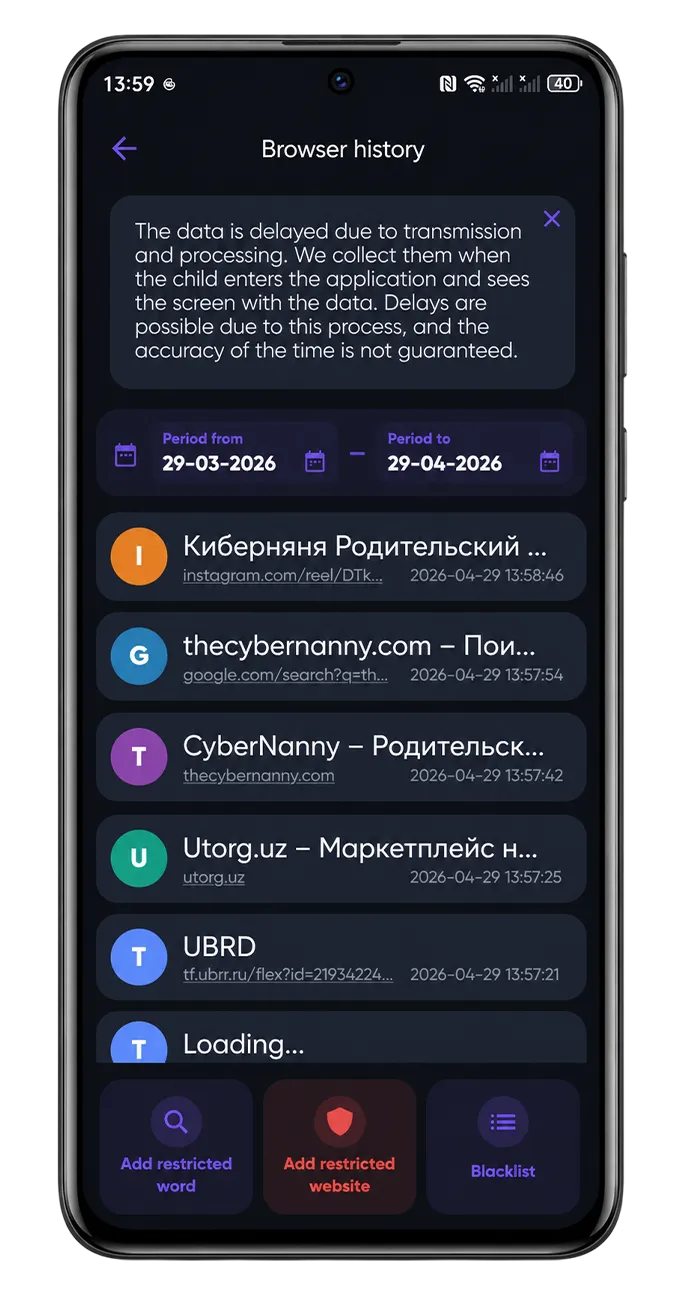
- Browsing history is visible in the dashboard.
Categories instead of a manual list
You switch on categories rather than typing addresses. A sensible baseline for younger children: pornography, gambling and betting, drugs, extremism, dating. For teenagers the list usually shrinks — but betting stays relevant, because that is exactly what gets pushed at teens through in-game ads.
The practical benefit: when a new site from a closed category appears tomorrow, it is already blocked. Manual lists cannot do that by design.
Safe search
Filtering also applies to search results, so risky pages do not appear even when your child types an ambiguous query. This matters more than it sounds — a large share of accidental exposure happens through search and its suggestions.
Browsing history is not an interrogation tool
The dashboard shows which sites were opened. We suggest reading it as a map of interests rather than a list of offences: what your child is into, what worries them, what they ask a search engine instead of asking you.
Often browsing history reveals exactly what a child stays quiet about — from school problems to questions about health and relationships. That is a reason for a conversation, not a punishment.
When a site is blocked by mistake
It happens with every category filter: a school portal, a hobby forum or a medical page gets caught. Add the address to exceptions from the dashboard and it opens immediately.
A practical tip: do not ignore your child's requests to unblock something specific. When they see that a restriction is negotiable, they come and ask. When it is not, they install a VPN — and you lose the filter entirely.
Try CyberNanny for free
Web filtering, browsing history, location and screen time are in the free plan. Setup takes two minutes.
Get the appFAQ
How do I block adult websites on my child's phone?
Install CyberNanny on your child's device and switch on the adult content category in the web filter. Blocking applies immediately and extends automatically to new sites in that category.
Does the filter work in every browser?
It works in the system browser and popular third-party ones. If your child installs an obscure browser specifically to bypass it, block that browser as an app.
Can a VPN get around the filter?
Yes, which is why VPN apps can be blocked in app management, and you receive a notification whenever a new app is installed.
What if a site I need is blocked?
Add it to exceptions from the parent dashboard — access opens straight away, no reboot needed.
Is web filtering in the free plan?
Yes, category blocking and browsing history are free with no time limit.