
Is Blockman Go Safe for Kids? What Parents Must Know
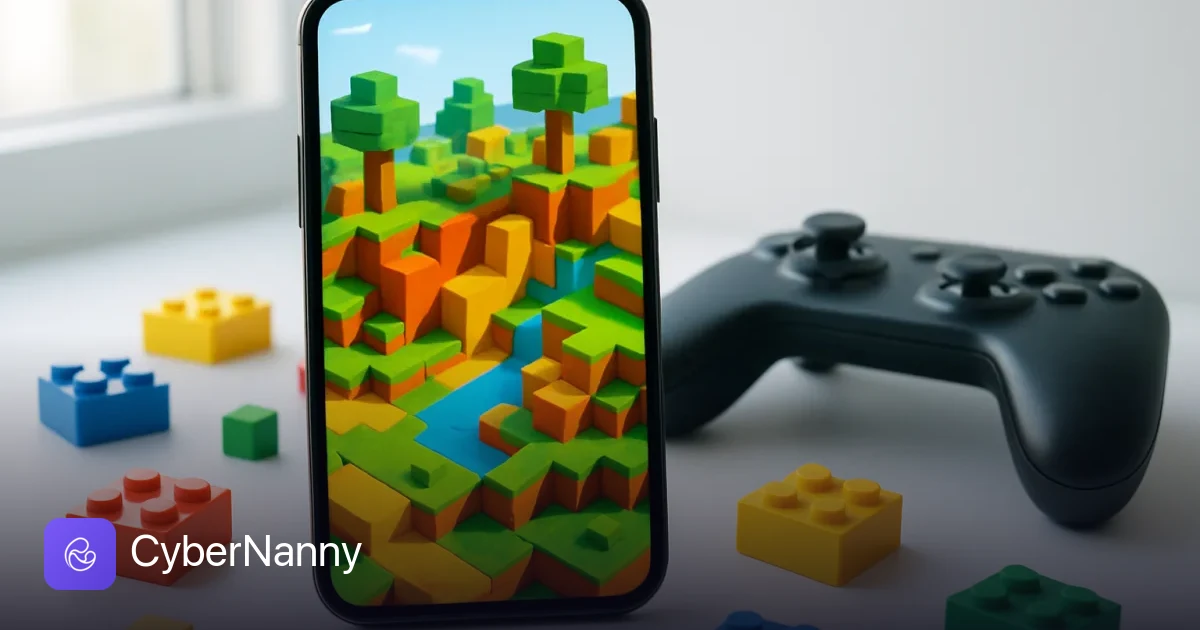
Blockman Go looks like harmless blocky fun — a Minecraft-style world stuffed with mini-games, cute avatars and bright colors. So when parents ask is Blockman Go safe for kids, many expect a quick "yes". The honest answer is more cautious: the games themselves are mostly fine, but Blockman Go is above all a social platform with open chat between strangers, and that is where the real risk lives.
Unlike single-player apps, Blockman Go connects your child to millions of other players in shared rooms with free-text chat, private messages, friend requests and even flirty "party" rooms. Moderation exists, but with this volume of user chatter it is patchy — something parents on forums from Mumsnet to Reddit report again and again.
Here is a clear-eyed look at what Blockman Go actually is, what the age ratings say, which risks are documented rather than imagined, and how to set it up so a younger player can still enjoy it safely.
- Blockman Go is a mini-game platform with open text chat and private messaging between strangers — its biggest safety issue by far.
- Store ratings hover around 9+ to Teen depending on the store, which is more realistic than the cartoon graphics suggest.
- Some rooms are social hangouts with a dating-party vibe ("school party", roleplay rooms) that are a poor fit for young children.
- Purchases run on Gcubes, a premium currency, with the usual pressure to buy outfits and VIP status.
- Our recommendation: not for under-10s; ages 10–12 only with chat awareness, spending locks and time limits — CyberNanny covers the monitoring side.
What Blockman Go actually is
Blockman Go is not one game but a hub of dozens of user-hosted mini-games: Bed Wars, Sky Block, Egg War, parkour maps, roleplay rooms and social lounges. Your child creates an avatar, dresses it up, and hops between rooms — playing, chatting and adding friends along the way. Think of it as a smaller, less moderated cousin of Roblox; if you have already read our guide on whether Roblox is safe for kids, much of the logic transfers, with the dial turned a notch riskier.
Blockman Go age rating
Ratings differ by store and region, but the pattern is consistent: Apple's App Store lists Blockman Go around 12+, while Google Play shows roughly Everyone 10+/Teen-level labels with disclosures for user interaction and in-app purchases. In other words, even the official ratings — which usually run generous — do not treat this as a small-kids app. The blocky art style makes it look like one, and that mismatch is exactly why so many 7–9-year-olds end up on a platform designed for older players.
The real risks, without the panic
Open chat with strangers
Every public room has free-text chat, and players can send private messages and friend requests. Chat filters catch some profanity but are easy to dodge with creative spelling. Parent communities have repeatedly flagged cases of adults using kid-focused platforms like this to strike up private conversations and try to move them to other messengers — the classic grooming pattern. That is not a reason to panic, but it is a reason to treat Blockman Go as a chat app, not just a game, and to talk with your child about never sharing their age, photos, school or other socials.
Dating-style and roleplay rooms
Among the mini-games are social rooms — "school party" style lounges where avatars dance, pair up and roleplay. Nothing explicit is allowed, but the flirty dynamic and the age mix in those rooms make them the part of the platform most parents will want younger kids to skip.
Gcubes and spending pressure
Blockman Go monetizes through Gcubes, a paid currency for outfits, accessories and VIP subscriptions that give visible status perks. The pressure is social: decked-out avatars signal status, and free players feel it. A store purchase PIN is non-negotiable here.
Moderation quality
Reporting and blocking tools exist in-app, and rooms have moderators, but with user-generated rooms and multilingual chat, enforcement is inconsistent. Assume that anything typed in a public room may go unmoderated for a while.
Blockman Go vs Roblox: which is safer?
| Aspect | Blockman Go | Roblox |
|---|---|---|
| Chat with strangers | Open text chat, private messages | Open chat, but stricter filters for under-13 accounts |
| Built-in parental controls | Minimal | Account restrictions, chat limits, spending controls |
| Content moderation | Patchy, varies by room | Larger moderation system, still imperfect |
| Purchases | Gcubes, VIP subscriptions | Robux |
Neither platform is risk-free, but Roblox gives parents noticeably more built-in levers. On Blockman Go, the levers mostly have to come from outside — device-level controls and your own awareness.
Verdict by age
- Under 10: we would skip it. The chat and social rooms outweigh the appeal of the mini-games; plenty of safer blocky alternatives exist.
- 10–12: possible with a tight setup — chat rules agreed in advance, purchases locked, playtime limited, and periodic check-ins on who is in the friends list.
- 13+: reasonable with the usual online-safety talk: no personal details, no moving chats to private messengers, report and block anything creepy.
How to set Blockman Go up safely
- Lock purchases. Set a PIN on Google Play or App Store purchases so Gcubes require your approval.
- Agree chat rules. No real name, age, school, photos or other social handles — ever. Anyone asking for them gets blocked and reported.
- Limit playtime and keep an eye on usage. With CyberNanny on your child's Android phone you can set daily screen-time limits and per-game limits, block Blockman Go on school nights, and see in the activity feed when and how long it was actually played. If a stranger tries to move the conversation to WhatsApp or Telegram, CyberNanny's messenger monitoring helps you notice it early.
- Do a joint tour. Spend twenty minutes playing together. You will learn more about the rooms your child visits than from any review — ours included.
For the exact settings, screenshots and step-by-step walkthrough, see our dedicated Blockman Go parental control guide. If you are weighing monitoring tools in general, our comparison of the best parental control apps in 2026 is the place to start. And for context on how much safer a chat-free game can be, compare this with whether Stumble Guys is safe for kids.
Try CyberNanny for free
Limit Blockman Go playtime, block it when needed and stay aware of who your child chats with in messengers — all from your own phone.
Install the appFree forever: map, messengers, calls. Plus 7 days of full PRO when you first link a device.FAQ
Is Blockman Go safe for a 7 or 8 year old?
We would say no. The mini-games look child-friendly, but open chat with strangers, private messages and party-style social rooms make it a platform for older kids. Store ratings around 10–12+ reflect that.
Does Blockman Go have chat with strangers?
Yes — public rooms have free-text chat, plus private messaging and friend requests. Chat filters exist but are easy to bypass, so agreed chat rules and parental awareness matter more than the filter.
Is Blockman Go safer than Roblox?
On balance, no. Roblox has stricter chat filtering for young accounts and more built-in parental controls. Blockman Go offers fewer levers, so safety depends more on device-level controls and the rules you set at home.
What are Gcubes and can my child spend real money?
Gcubes are Blockman Go's paid currency for outfits, accessories and VIP perks. If your store account has a saved card without a purchase PIN, a child can spend real money in a few taps — lock purchases before the first session.
Can I limit how long my child plays Blockman Go?
Yes. On Android, a parental control app like CyberNanny lets you set a daily limit for the game, block it on a schedule and see how long it was really played each day.